Step 2 — Sign Up for TorBox
A TorBox account is required to use it as a debrid service. You will also need your API key when running the Bootstrapper in Step 4.
Create an account
Go to torbox.app/login and click the Sign Up button at the bottom of the page to switch to the registration form.
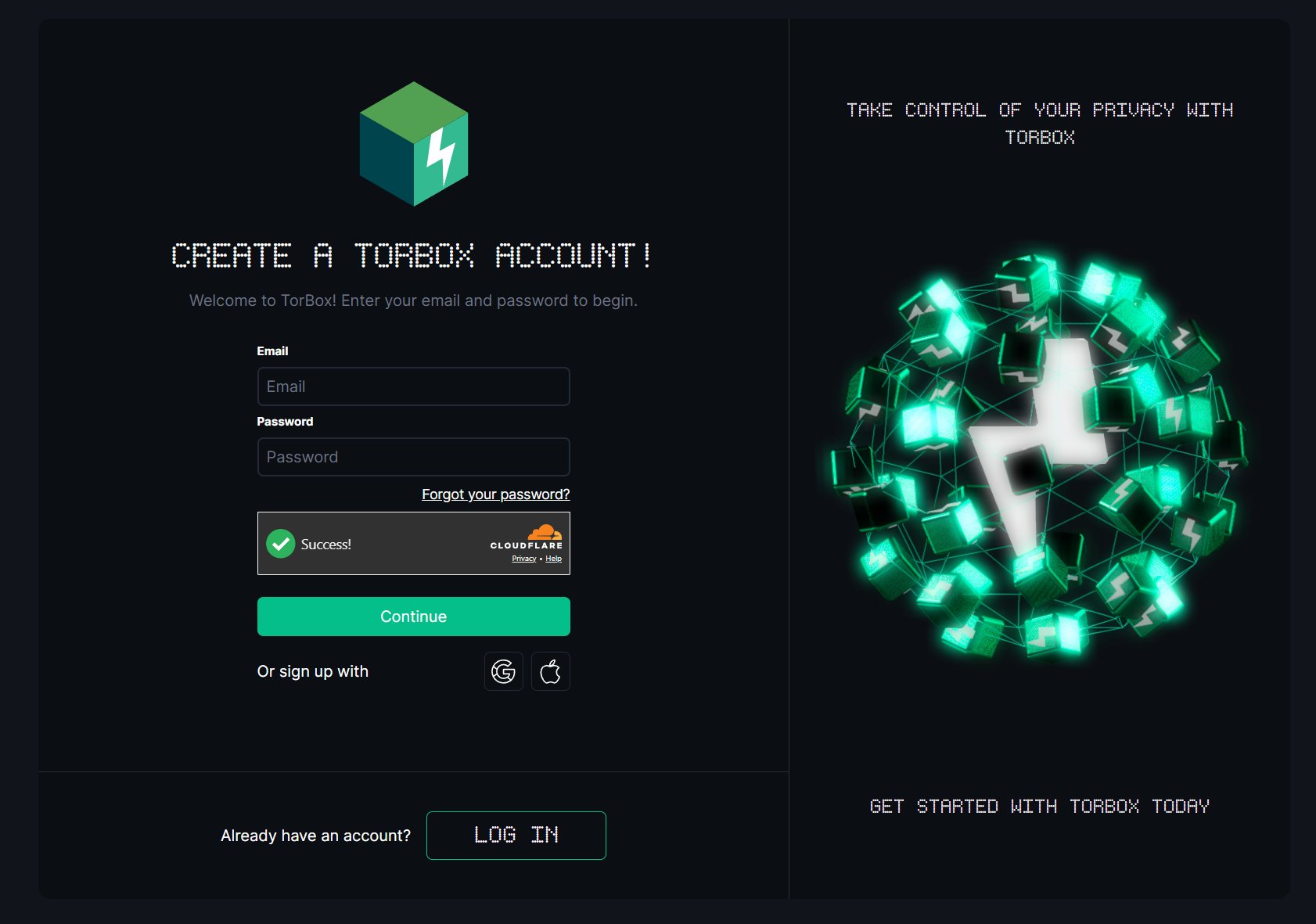
Fill in the form:
- Email: the address you want associated with your account
- Password
- Complete the Cloudflare captcha — it will show a green "Success!" tick when done
- Click Continue
You can also sign up with Google or Apple if you prefer.
Retrieve your API key
The API key is what the Bootstrapper uses to link your Stremio addons to your TorBox account.
- Log in and go to torbox.app/settings?section=account
- Scroll down to the API Key section
- Click Copy API Key

Keep this key available for Step 4. If you ever need to invalidate the current key (for example after running the Bootstrapper), click Get New API Key to generate a replacement.
Keep your API key private
Your API key grants full access to your TorBox account. Do not share it or enter it into untrusted tools. If it is ever exposed, use Get New API Key to regenerate it immediately.
Free plan
TorBox offers a free plan you can test with before committing to a subscription. It is limited (1 active download slot, 10 GB max torrent size, no web downloads), but enough to confirm the streaming setup works before spending any money.